Showing posts with label javascript. Show all posts
Showing posts with label javascript. Show all posts
Monday, June 8, 2015

Wednesday, June 3, 2015
jquery to obtain the ID or to use the data.
To access data/id from html
in html form let say it's a button, we can put any fields as the data (by putting the tag data-<something>)
<input class="myclass" data-myvalue="myValue123" id="myID" type="button" />
To access the element using ID from the javascript:
$('#myID').click(function(e){
var myvalue = $(this).data('myvalue');
});
To access the element using the class from javascript:
$('.myclass').click(function(e){
var myvalue = $(this).data('myvalue');
var myID = $(this).attr('id');
});
in html form let say it's a button, we can put any fields as the data (by putting the tag data-<something>)
<input class="myclass" data-myvalue="myValue123" id="myID" type="button" />
To access the element using ID from the javascript:
$('#myID').click(function(e){
var myvalue = $(this).data('myvalue');
});
To access the element using the class from javascript:
$('.myclass').click(function(e){
var myvalue = $(this).data('myvalue');
var myID = $(this).attr('id');
});
Monday, December 5, 2011
javascript startsWith() and endsWith()
Javascript function startsWith
String.prototype.startsWith = function(str)
{return (this.match("^"+str)==str)}
Javascript function endsWith
String.prototype.endsWith = function(str)
{return (this.match(str+"$")==str)}
Usage:
var myStr = “ Earth is a beautiful planet ”;
var myStr2 = myStr.trim();
//==“Earth is a beautiful planet”;
if (myStr2.startsWith(“Earth”)) // returns TRUE
if (myStr2.endsWith(“planet”)) // returns TRUE
if (myStr.startsWith(“Earth”))
// returns FALSE due to the leading spaces…
if (myStr.endsWith(“planet”))
// returns FALSE due to trailing spaces…
Ref: here
String.prototype.startsWith = function(str)
{return (this.match("^"+str)==str)}
Javascript function endsWith
String.prototype.endsWith = function(str)
{return (this.match(str+"$")==str)}
Usage:
var myStr = “ Earth is a beautiful planet ”;
var myStr2 = myStr.trim();
//==“Earth is a beautiful planet”;
if (myStr2.startsWith(“Earth”)) // returns TRUE
if (myStr2.endsWith(“planet”)) // returns TRUE
if (myStr.startsWith(“Earth”))
// returns FALSE due to the leading spaces…
if (myStr.endsWith(“planet”))
// returns FALSE due to trailing spaces…
Ref: here
Tuesday, December 8, 2009
extjs - ajax.net
Use ajax combined with .net
You can use AjaxPro to get the json data.
Reference: here
EXTJS Tree panel with .NET
You can use AjaxPro to get the json data.
Reference: here
EXTJS Tree panel with .NET
Tuesday, November 11, 2008
Autocomplete control with dropdown
Besides extjs, here's what I found to be useful as dropdown.
Featuring auto-complete dropdown, or auto-complete textarea like Gmail's one, also country listing (PHP)
Reference: here
Resources for date picker: here
Download the code here.
Featuring auto-complete dropdown, or auto-complete textarea like Gmail's one, also country listing (PHP)
Reference: here
Resources for date picker: here
Download the code here.
Wednesday, July 16, 2008
Flash Overlay Problem
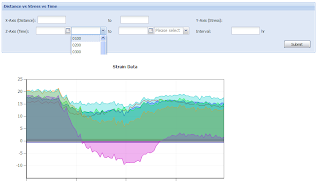
There is a problem when embedding flash into a web page.
For example if you have dropdown, the dropdown values will be covered by the flash.
Hence you won't be able to view all the images like the picture below.
Here's what we need add
for Flash tag embed
for Javascript
and wala.. here's the result...

However, this apparently does not work in Linux.
Reference: here
For example if you have dropdown, the dropdown values will be covered by the flash.
Hence you won't be able to view all the images like the picture below.

Here's what we need add
for Flash tag embed
<param name=WMode value=Opaque>
for Javascript
fo.addParam("wmode", "opaque");
and wala.. here's the result...

However, this apparently does not work in Linux.
Reference: here
Thursday, July 3, 2008
Pre-populate combo values
This sample is to populate combo values in html form using javascript.
For manually insertion of the Option values into the combobox.
In the html part:
Whenever the report type selected is bar graph or pie chart, it will not display the excel report view, else it will return all three report views.
reference: here
For manually insertion of the Option values into the combobox.
<script type="text/javascript">
function prepopulate(reportType){
    document.form1.report_view.options.length = 0;
    if (reportType ==  "Pie_Chart" || reportType == "Bar_Graph"){
        document.form1.report_view.options[0] = new Option("Adobe Reader (.pdf)","pdf");
        document.form1.report_view.options[1] = new Option("Open Office (.odt)","odt");
    }else{
        document.form1.report_view.options[0] = new Option("Adobe Reader (.pdf)","pdf");
        document.form1.report_view.options[1] = new Option("Microsoft Excel (.xls)","xls");
        document.form1.report_view.options[2] = new Option("Open Office (.odt)","odt");
    }
}
</script>
In the html part:
<select name="report_type" id = "report_type" onChange="javascript:prepopulate(this.value)">
    <option value="Consolidated_Comments">Consolidated Comments</option>
    <option value="Pie_Chart">Consolidated Result - Pie Chart</option>
    <option value="Bar_Graph">Consolidated Result - Bar Graph</option>
    <option value="Individual_Results_Comments">Individual Results (Comments)</option>
    <option value="Individual_Results_FreeText">Individual Results (Free Text)</option>
    <option value="List_of_Questions">List of Questions</option>
    <option value="Individual_Comment">Individual Result</option>
</select>
<select name="report_view">
</select>
Whenever the report type selected is bar graph or pie chart, it will not display the excel report view, else it will return all three report views.
reference: here
Subscribe to:
Posts (Atom)